Loading
How to get request data from android app
I have backend api code and an androird app is using this backend code ,now I would like to get the API with parameters when API hits from mobile application. how to achieve that.
solve the error
can not extract resource from com.android.aaptcompiler.ParsedResource@2935f6f7.
How to handle network error in Android studio ?
i need to handle network error in Android studio.
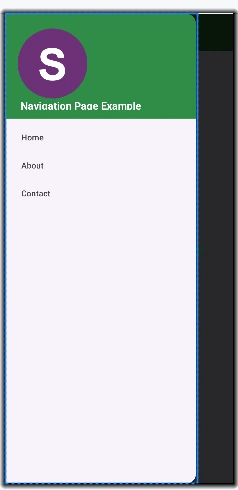
Menu Navigation Layout in Android Studio
The article explains creating a navigation menu layout in Android to enable seamless activity transitions. It covers Java code and XML design with DrawerLayout and NavigationView, ensuring intuitive UI interaction.
Explore Android 15 and First Developer Preview of Android 16
Android 15 introduced groundbreaking features like Private Space, satellite messaging, and advanced security, redefining mobile experiences. With Android 16’s AI-driven personalization and cross-device harmony, the future of Android is brighter than ever.
What is New in Android 15?
Android 15, codenamed Vanilla Ice Cream, launched with innovative features like Private Space, enhanced satellite messaging, Partial Screen Recording, and robust security updates. Revolutionizing multitasking, privacy, and connectivity!
How to Enable USB Debugging on Android Device
Learn how to enable USB Debugging on your Android device with this step-by-step guide. USB Debugging lets you connect your phone to a computer for advanced tasks like data transfer, app testing, and more.
Windows Shortcut keys for Working in Android Studio
This guide covers the most useful shortcuts for coding, navigation, and debugging in Android Studio. Learn how to speed up your workflow and work more efficiently with these simple keyboard shortcuts for developers.
Which is good option (Kotlin or Java) for android development ?
Kotlin and Java which is best for android development
How to solve Android project Gradle file downloading problem?
How to slove this issue? Caused by: org.gradle.api.internal.artifacts.ivyservice.DefaultLenientConfiguration$ArtifactResolveException: Could not resolve all files for configuration ':app:debugCompileClasspath'.
Explaining Bundle in Android Development
In this article, we will discuss A Bundle in Android Development is a key-value data structure used to transfer data between activities, fragments, and other components.
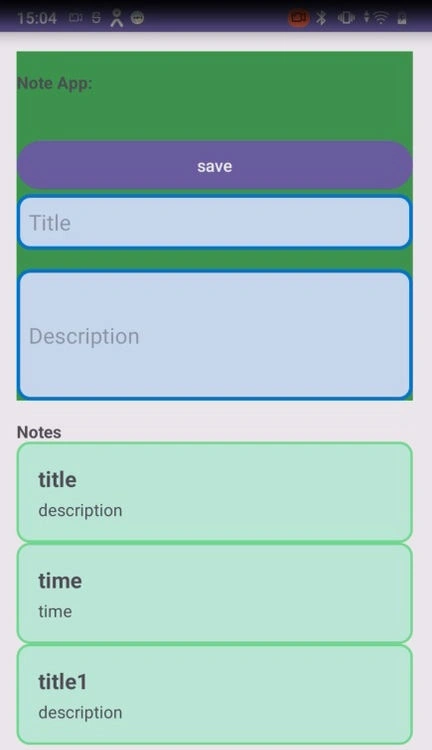
Scroll View Example in Android Studio using Java
Scroll View in Android enables displaying more content on a single screen by allowing vertical or horizontal scrolling. It works with Linear Layouts, making it ideal for apps like note-taking where users can scroll through lists of content.
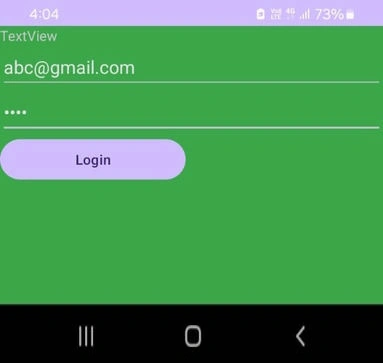
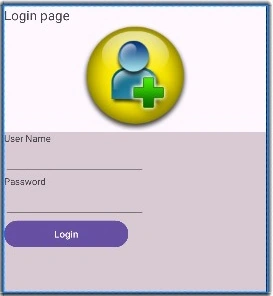
User Login page Example in android studio using java
We’ll walk through setting up a simple login screen with input fields for username and password, integrating basic authentication, and handling login actions. Perfect for beginners in Android development.
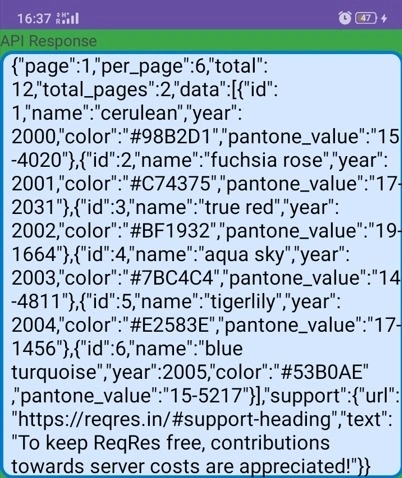
Web api call in Android
This article explains how to call a Web API in an Android app using Java. It covers key concepts like HTTP methods (GET, POST), status codes, headers, and the use of the OkHttp library for making API requests.
Learn SharedPreferences in Android
SharedPreferences is an Android feature used to store small amounts of data in key-value pairs. It allows apps to save user preferences, settings, and simple data across sessions.
Google's Android 15 Release
Google is set to release Android 15 on October 15, 2024, introducing features like lock screen widgets, battery life improvements, and private space for enhanced privacy and user experience.
Need Help! Unable to Run Android Application on Intel Evo Processor
Hi everyone, I’m experiencing issues with running Android applications on a device with an Intel Evo processor. Despite meeting the system requirements, the applications either fail to launch or exhibit performance problems. I’ve tried updating drivers and checking compatibility settings, but the problem persists. Has anyone else encountered similar issues with Intel Evo processor and Android applications? What troubleshooting steps or solutions have worked for you? Any advice or insights would be greatly appreciated! Thanks in advance for your help! Alisa
Understanding View Binding in Android
View binding is a feature that makes it easier to write code that interacts with views. Once view binding is enabled in a module, it generates a binding class for each XML layout file present in that module. An instance of a binding class contains direct references to all views that have an ID in the corresponding layout. In most cases, view binding replaces findViewById
Data Binding in Android Kotlin
Data binding in Kotlin refers to the process of establishing a connection between the UI elements of an application and the underlying data model. This technique allows for seamless synchronization between the user interface and the data it displays or manipulates. Here’s how data binding works in Kotlin:
What libraries are easy to use for React Native to send and receive ma
React Native sends and receives emails, which libraries are easy to use, run stably, and write code easy ?
How to use CheckBox in React Native ?
I added a CheckBox and ReactNative got the error Render error: requireNativeComponent: "AndroidChecBox" was not found in the UIManager, please help me troubleshoot where I wrote it wrong ? this is my code import CheckBox from '@react-native-community/checkbox'; const [isCheck, setCheckBox] = useState(false); <View style={styles.CheckBoxContainer}> <CheckBox value={isCheckBox} onValueChange={setCheckBox} <Text style={styles.CheckBoxText}>Remember me</Text> <TouchableOpacity> <Text style={styles.forgotPassword}>Forgot password ?</Text> </TouchableOpacity> </View>
Render error: Text strings must be rendered within a <Text> component
I demoed React Native as an example of a login application, including two files App.js and Login.js. Please help me pick them up. When running, I get an error: Render error: Text strings must be rendered within a <Text> component file App.js import React from 'react'; import { StyleSheet, View } from 'react-native'; import Login from './Login'; // Import component Login const App = () => { return ( <View style={styles.container}> <Login /> {/* Use component Login */} </View> ); }; export default App; const styles = StyleSheet.create({ container: { flex: 1, justifyContent: 'center', alignItems: 'center', backgroundColor: '#e7feff', }, }); file Login.js import { StyleSheet, View, TextInput, Text, Image, Alert, TouchableOpacity } from 'react-native'; const Login = () => { return ( <View style={styles.container}> </View > ); }; export default Login; const styles = StyleSheet.create({ });
Create Bluetooth Android Application Using Android Studio
Learn to create a Bluetooth Android app using Android Studio. This guide covers setting up Android Studio, designing the app with XML, coding functionality in Java, adding Bluetooth permissions, and running the app on an emulator or device. Perfect for developers looking to integrate Bluetooth features.