Build modern Windows desktop apps with WPF and MVVM. Learn XAML, binding, commands, templating, dependency properties, navigation, and async UI. Improve performance, accessibility, and testing for robust, maintainable projects.
1,319 posts332 contributors
However, .NET 3.5 introduces a new type of objects called freezable objects. These objects are usually related to graphics sub-system.
This chapter provides you a brief knowledge about the Windows Presentation Foundation (WPF)
WPF Toolkit is a collection of new features and controls added to WPF. Some of the controls added to the toolkit are WPF DataGrid, DatePicker and Calendar Control, Visual State Manager, and Ribben.
In this article you will learn how to use Controls,Layout Panel and Graphics primitives in WPF.
Opacity masks allow us to make portions of an object transparent or semi transparent. This article demonstrates how to implement opacity masks feature in WPF objects such as a Rectangle and an Image.
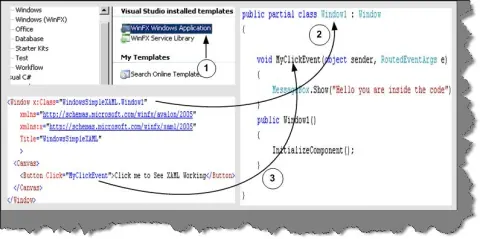
In this section we will make a quick walkthrough of WPF which will help you understand WPF instantly.
This tutorial shows you how to create and use a ProgressBar control available in Windows Presentation Foundation (WPF) and XAML.
This article is an introduction to graphics programming in XAML and WPF. In this article, I discuss various graphics objects including lines, rectangles, ellipses, and paths and how to draw them using XAML and WPF.
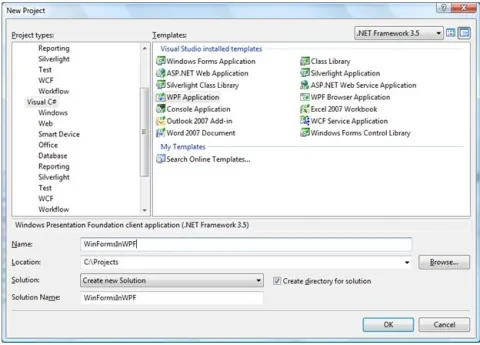
Learn how to host existing Windows Forms controls in a WPF application using WindowsFormsHost, XAML, and C# code.
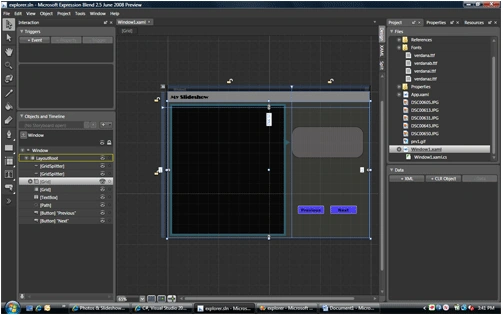
In this article, I will create a simple image slideshow using WPF and C#.
This article demonstrates how to implement clipping feature in WPF(Windows Presentation Foundation) such as a Rectangle and an Image.
In this article I will introduce the Uniform Grid object. The uniform grid object arranges content in its area so that all the cells in the grid have the same dimension. It represents a perfect solution if someone prefers to prevent the headache of ordering controls within an ordinary Grid object.
Learn how to apply WPF bitmap effects, including bevel, outer glow, drop shadow, and grouped effects, to buttons and images using XAML.
In any desktop application it is very important to have menu bar to the application/system, so that user will find easy to access it. In this tutorial I will be talking about how we can create Menu bar in WPF application using XAML.
This article is an introduction to graphics programming in XAML and WPF. In this article, I discuss various graphics objects including lines, rectangles, ellipses, and paths and how to draw them using XAML and WPF.
In .NET 3.0 making Menu Control is different from previous version of .NET. Here we will see how to create Menu in .NET 3.0.