Loading
Articles by Mahesh Chand
Scatter Chart in Silverlight
This article shows how to create a scatter chart in Silverlight 2.0 using Silverlight Tooklit.
Slider Control in Silverlight
This step by step article shows how to use the Slider control available in Silverlight 2.0.

TreeView In WPF
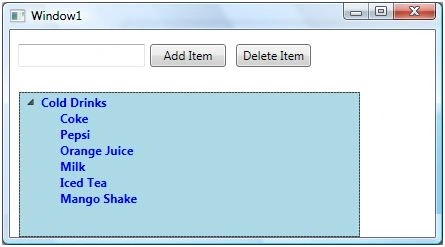
Explore the WPF TreeView control in this tutorial, designed to display hierarchical data with expandable nodes. Learn to add, delete, and style TreeView items dynamically using XAML and C#. Enhance your applications by incorporating CheckBoxes and images within TreeView items for interactive user experiences.
Pie Chart in Silverlight
This article shows how to create a pie chart in Silverlight 2.0 using Silverlight Tooklit.
Column Chart in Silverlight
This article shows how to create a column chart in Silverlight 2.0 using Silverlight Tooklit.
Bar Chart in Silverlight
This article shows how to create a bar chart in Silverlight 2.0 using Silverlight Tooklit.
TreeView in Silverlight
A TreeView control provides a hierarchical view of list items. This article demonstrates how to work with a TreeView control in Silverlight 2 using XAML and C#.
Calendar Control in Silverlight
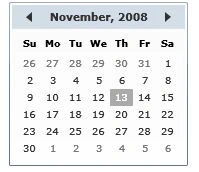
A Calendar control is used to create a visual calendar that let users pick a date and fire an event on the selection of the date. This article demonstrates how to create and use a Calendar control in Silverlight using XAML and C#.
User Control in Silverlight
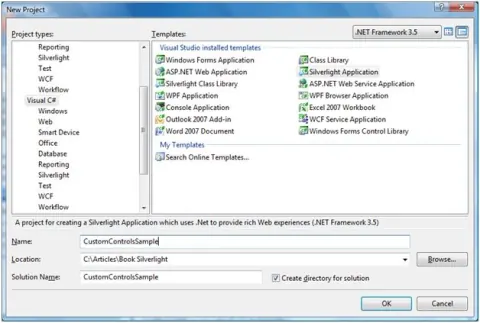
This tutorial discusses how to create and use user controls in Silverlight 2.0 and Visual Studio 2008. The first part of the tutorial creates an ImageViewer user control and second part shows how to use this control in a Silverlight Web application.
Building and using a Class Library in Silverlight 2.0
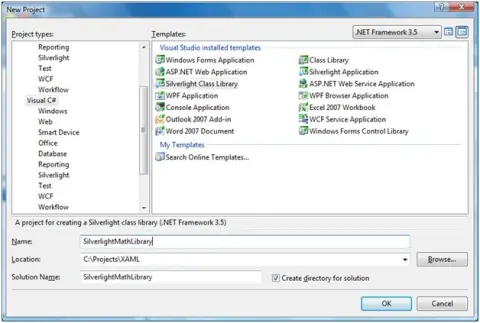
This step by step tutorial shows how to build a class library (DLL) for Silverlight 2.0 using Visual Studio 2008 and C# and how to use it in a client application. First part of this tutorial creates a class library and second part creates a Silverlight Web application that consumes the class library.

TextBlock in Silverlight
Learn how to create and use the TextBlock control in Silverlight with XAML and C# to display small amounts of text content.
TextBox in Silverlight
This article demonstrates how to create and use a TextBox control in Silverlight using XAML and C#.
Hyperlink in Silverlight
This article demonstrates how to use a hyperlink button in Silverlight using XAML and C#.
ListBox in Silverlight
A ListBox control is an items control that works as a ListBox control but only one item from the collection is visible at a time and clicking on the ListBox makes the collection visible and allows users to pick an item from the collection. This article demonstrates how to use a ListBox control in Silverlight.
Tool Tips in Silverlight
A ToolTip is a pop-up window that displays some information in a small window. The ToolTip class in .NET 3.5 represents a ToolTip. This article demonstrates how to use a ToolTip control available in Silverlight.
Polygon in Silverlight
Learn to create, style, and populate Silverlight Polygon controls using XAML and C#, including gradients, image fills, opacity, and PointCollection.
Label Control in Silverlight
This article demonstrates how to use a Label control in Silverlight using XAML and C#.
Ployline in Silverlight
A polyline is a collection of connected straight lines. This article demonstrates how to create and use a Polyline control in Silverlight using XAML and C#.
Rectangle in Silverlight
This article demonstrates how to create and use a Rectangle control in Silverlight using XAML and C#.
Line in Silverlight
This article demonstrates how to create and use a Line control in Silverlight using XAML and C#.
Ellipse in Silverlight
This article demonstrates how to create and use an Ellipse control in Silverlight using XAML and C#.
DockPanel in Silverlight
The DockPanel control is a layout control that acts as a container for child controls. The DockPanel allows child controls to dock in left, right, top, or bottom sides of the panel.
ComboBox in Silverlight
A ComboBox control is an items control that works as a ListBox control but only one item from the collection is visible at a time. This article demonstrates how to create and use a ComboBox control in Silverlight using XAML and C#.
Silverlight Canvas Control
The Canvas control, used as a container for child controls, defines functionality to position the child controls. This article demonstrates how to create and use a Canvas control in Silverlight using C# and XAML.
OpenFileDialog in Silverlight
The OpenFileDialog allows users to select one or more files on the local computer or on a networked computer. This article demonstrates how to create and use an OpenFileDialog control in Silverlight using XAML and C#.